Rehman Dakait Photo Editing Tutorial – Dhurandhar Movie Prompt for Trending AI Images
The Rehman Dakait photo editing style has become one of the most viral trends in the AI editing community. Inspired by the intense and gritty visuals of the Dhurandhar movie, this style combines dark cinematic tones, rugged character looks, and a dramatic poster-like atmosphere. In this tutorial, you will learn how to create Dhurandhar-style Rehman Dakait edits using AI prompts, mobile editing techniques, and advanced composition methods.Rehman Dakait Photo Editing Tutorial
What Is Rehman Dakait Photo Editing?
This style focuses on a bold, cinematic look that includes:
- High-contrast shadows
- Sharp, rugged facial detailing
- Dusty, gritty environment
- Dramatic background elements
- Dark brown or orange-teal color grading
- Movie-poster–style framing
The result is a powerful portrait that looks straight out of a gangster-actionRehman Dakait Photo Editing Tutorial film.
Why the Dhurandhar Movie Look Is Trending
The Dhurandhar movie aesthetic is trending because:
- It delivers bold personality and attitude
- It creates ultra-engaging social media images
- The raw, dusty gangster look feels instantly cinematic
- Perfect for reels, thumbnails, and poster-style edits
This combination makes it a perfect viral-style template for AI creators.
Best AI Tools for Rehman Dakait Editing
You can create this look using:
- Gemini AI Image Generator
- Leonardo AI
- Midjourney
- Bing Image Creator
- Recraft AI
- Playground AI
Each of these tools supports detailed cinematic prompt styling, which is essential for the Dakait effect.
Trending Rehman Dakait – Dhurandhar Movie AI Prompts
Use these prompts to generate highly realistic, viral results:
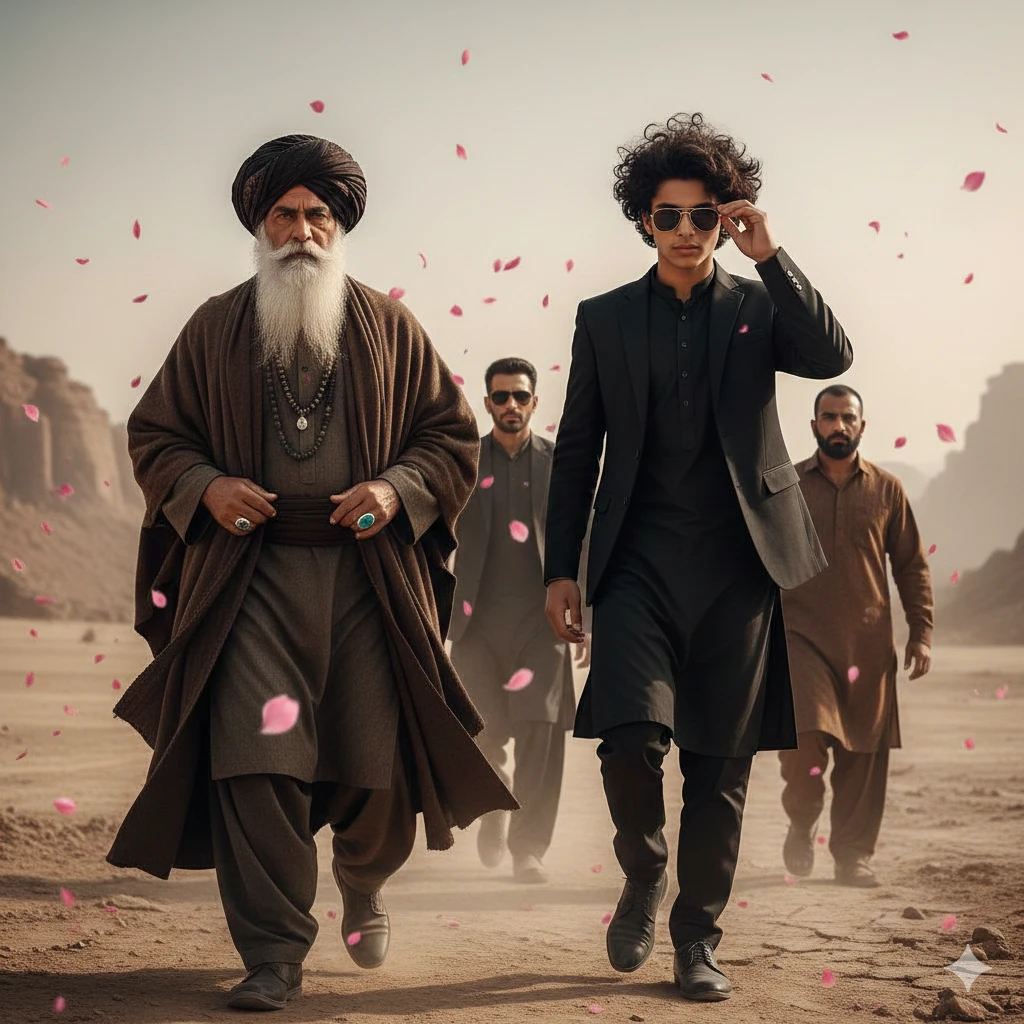
Prompt 1 (Cinematic Close-Up):
PROMPT
A wide, cinematic composition showing a group of men moving forward through a dry, desert-like outdoor landscape. In the foreground, two main characters lead the frame. On the left stands an elderly man with a long white beard and a commanding, serious expression. He is dressed in traditional clothing — a dark turban, layered shawl, and a heavy robe or coat — complemented by dark beaded necklaces and a noticeable teal/blue ring. On the right walks a stylish teenager, around 16 years old, with messy, wavy black hair. He is dressed entirely in black, wearing a fitted suit or Pathani-style outfit and sunglasses, lifting his right hand either to adjust them or shield his eyes. Both walk with strong intent and presence. Behind them, three more men follow: the middle one in dark clothing and sunglasses with light stubble, and the other two on the sides, including one on the far right with short hair, a beard, and a brown outfit. The overall mood is dramatic, enhanced by pink rose-like petals drifting or being tossed through the air.
Prompt 2 (Full Poster Look):
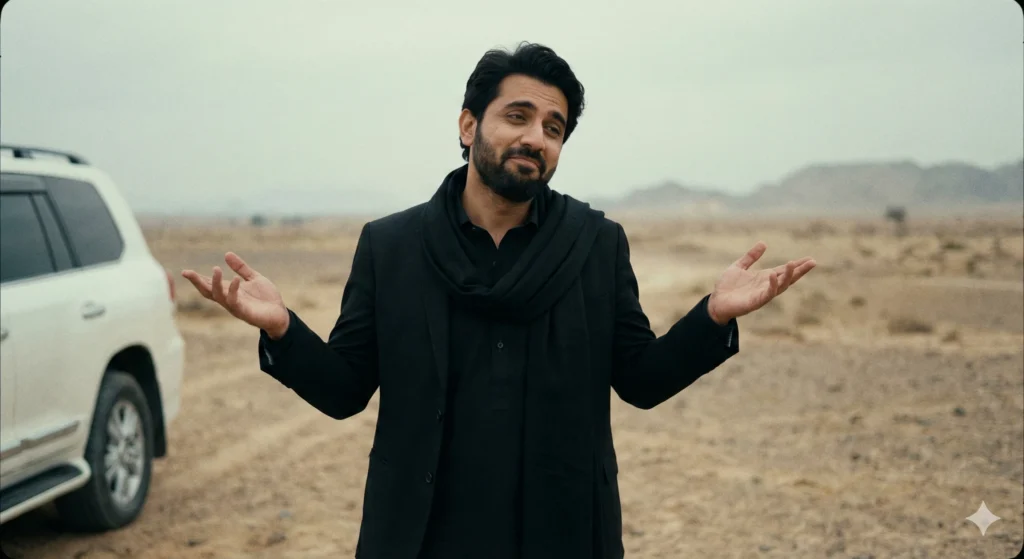
PROMPT Generate a photorealistic, highly detailed image of a person resembling the user, capturing a subtle, slightly smug expression with hands raised in a shrug. The subject wears a black shalwar kameez paired with a black blazer or suit jacket, along with a black scarf or shawl around the neck. The background depicts a dusty, arid desert landscape with faint hills in the distance and a white SUV partially visible on the left. The scene should replicate a mid-shot composition with cinematic, slightly desaturated lighting, maintaining the same visual style, atmosphere, and film-grain aesthetic as the reference image.
Prompt 3 (Action Style):
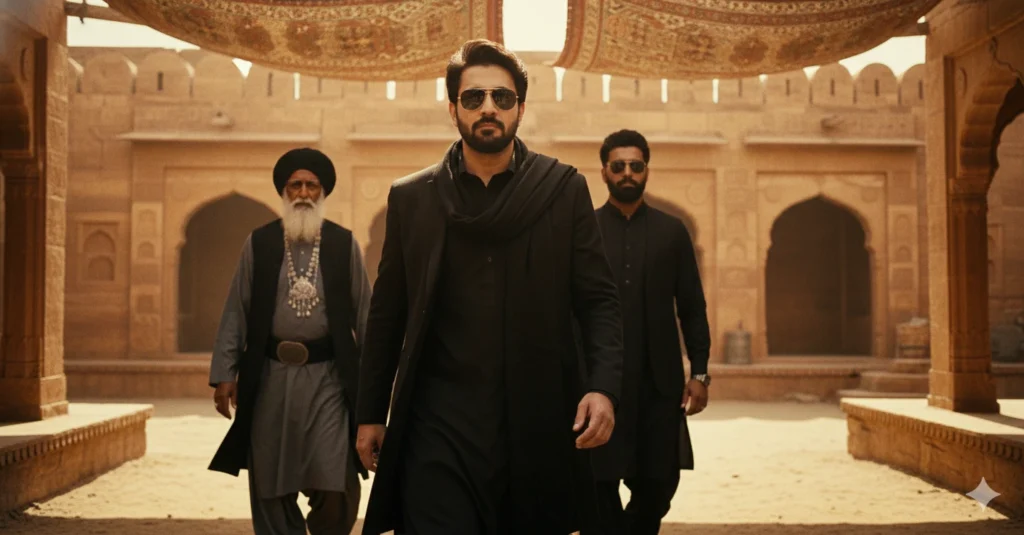
PROMPT
Ultra realistic, cinematic full-body portrait of the same young man from the reference photo (same hairstyle, sharp eyebrows, trimmed beard, and confident facial expression). A powerful cinematic scene showing a stylish villain making an intense entrance. A sharp-featured man wearing a black kurta, black overcoat and dark sunglasses walks forward with a confident attitude. Warm golden sunlight filters through patterned fabric shades hanging overhead, creating dramatic light and shadow on his face. Behind him, two men follow one elderly with a long white beard, black turban, layered grey robe and heavy jewelry; the other younger man with a beard and dark glasses, dressed in dark traditional clothing. The environment looks like an ancient marketplace or desert fort made of sandstone, with textured walls and warm golden tones. The camera angle is slightly low, capturing a heroic, slow-motion walk. Highly detailed faces, crisp shadows, cinematic depth of field, rich color grading, dramatic villain aura, ultra-rea
These prompts consistently perform well on social media and AI platforms.
Also Read This : Rehman Dakait Photo Editing Dhurandhar Movie Look – Best Gemini AI Photo Prompt (Copy Paste Guide) 2026
Step-by-Step Mobile Editing Tutorial
If you want to enhance the AI-generated image further, you can use apps like PicsArt, Lightroom, Snapseed, or Remini.
Step 1: Add Cinematic Background
Choose a dusty, abandoned, or warzone-style backdrop.
Step 2: Apply Dark Color Grading
Use brown/orange-teal tones for strong movie vibes.
Step 3: Increase Clarity & Texture
This enhances the rugged Dakait-style facial detailing.
Step 4: Add Shadows & Vignette
This creates depth and a poster-like atmosphere.
Step 5: Add Cinematic Text (Optional)
Use bold fonts and minimal spacing to create a movie title effect.
Professional Tips for Viral Results
- Use high-resolution AI output
- Keep strong lighting and deep shadows
- Add foreground dust or smoke for realism
- Maintain sharp edges for poster quality
- Use 3-image collage with thin white dividers for trending style
- Avoid over-smoothing; keep the gritty texture intact
These adjustments significantly boost engagement on Instagram and YouTube thumbnails.
Conclusion
The Rehman Dakait – Dhurandhar movie photo editing style is a powerful trend that blends cinematic grit, intense character styling, and highly engaging visuals. With the right AI prompts and editing techniques, you can create stunning images that instantly attract attention and perform well across social platforms.