Types of Cables in Networking (2026): Complete Guide with Examples & Uses
Hey there, welcome to InsaneNotes.in
Have you ever looked at the tangled mess of wires behind your computer or Wi-Fi router and wondered what they all do? You’re not alone! In our wireless world, it’s easy to forget that the internet often runs on good, old-fashioned physical wires.
These wires, or network cables, are the superhighways that carry our data, videos, games, and memes across the globe. Choosing the right cable is like choosing the right road for a journey—a dirt path won’t work for a Formula 1 car!
This friendly guide will walk you through all the common types of cables in networking. We’ll explain what they are, what they look like, and where they are used, all in simple, easy-to-understand language. Let’s untangle this topic together!
What is a Network Cable? The Data Delivery System
Let’s start with a simple definition.
A network cable is a physical medium that connects devices (like computers, routers, and switches) to transfer data and share resources. It’s the physical path that your digital information travels along.
Think of it this way:
- Data: Cars full of people and goods.
- Network Cable: The actual road or highway the cars drive on.
- Network Interface: The on-ramp and off-ramp for the cars.
Without these cables, most of our large-scale internet connections simply wouldn’t be possible. They provide a stable, fast, and secure connection that wireless signals sometimes can’t match.
The Main Types of Cables in Networking
While there are many specialized cables, most fall into three main categories. We’ll explore each one in detail.
1. Twisted Pair Cables: The Everyday Champion
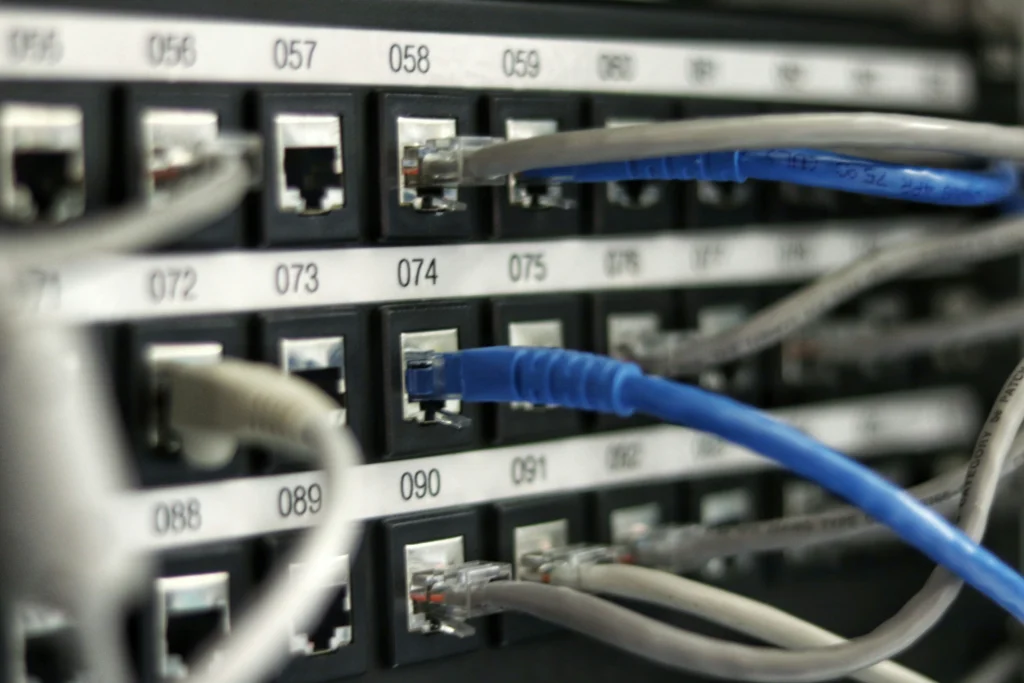
This is the most common type of cable you will ever see. It’s probably what connects your office computer to the wall or your gaming console to the router.
What it is: A twisted pair cable consists of multiple pairs of copper wires twisted together. Why are they twisted? This clever design helps cancel out electromagnetic interference (EMI) from other nearby cables and electrical devices, keeping your data clear.
Common Uses:
- Connecting computers in an office (LAN).
- Home internet connections (Ethernet).
- Telephone lines.
Twisted pair cables are often shielded, leading to two main types:
a) UTP (Unshielded Twisted Pair)
- What it is: The most common and affordable type. It has no extra shielding, relying solely on the wire twists to reduce interference.
- What it looks like: A flexible plastic cable with a classic RJ-45 connector (looks like a wide telephone plug).
- Best for: Most home and office environments where there isn’t a lot of electrical noise.
b) STP (Shielded Twisted Pair)
- What it is: A more heavy-duty version where the wire pairs are wrapped in a braided shield or foil. This provides extra protection against interference.
- What it looks like: Similar to UTP, but often a bit thicker and less flexible.
- Best for: Industrial settings, areas with many motors or high-power cables, or environments where data integrity is critical.
Categories of Twisted Pair Cables (Cat Cables):
You’ve probably seen names like “Cat5e” or “Cat6.” This “Cat” stands for Category, and it defines the cable’s performance and speed.
| Cable Category | Max Speed (Approx.) | Bandwidth | Common Use Case |
|---|---|---|---|
| Cat 5 | 100 Mbps | 100 MHz | Largely obsolete. Found in very old installations. |
| Cat 5e | 1 Gbps | 100 MHz | The modern minimum standard. Perfect for most homes and streaming. |
| Cat 6 | 1 Gbps (up to 10 Gbps for short runs) | 250 MHz | The sweet spot for new installations. Better for gaming and home servers. |
| Cat 6a | 10 Gbps | 500 MHz | For high-performance networks. Used in data centers and office backbones. |
| Cat 7+ | 10-40 Gbps | 600-2000 MHz | Specialized use. For advanced data centers and high-frequency trading. |
2. Coaxial Cables: The TV Veteran
You’re already familiar with this one if you’ve ever had cable TV!
What it is: A coaxial cable has a single copper wire at its center, surrounded by a plastic layer for insulation, which is then surrounded by a braided metal shield. This design makes it excellent at blocking interference.
What it looks like: A thick, round, and inflexible cable with a sharp, pin-like connector that you have to screw into place.
Common Uses:
- Cable Television (TV) signals.
- Broadband Internet from your provider to your modem.
- Traditional analog video connections.
While it’s not the primary cable for connecting computers inside a building anymore, it’s still the backbone for bringing the internet into most homes.
3. Fiber Optic Cables: The Speed of Light Superhero
This is the king of network cables. It’s the technology that powers the global internet.
What it is: Instead of using electricity over copper, fiber optic cables use pulses of light to transmit data through incredibly thin strands of glass or plastic called optical fibers.
What it looks like: A sleek, often brightly colored (orange or yellow) cable. The connectors are different, often having a visible exposed tip of glass.
Why it’s amazing:
- Blazing Fast Speeds: Can carry data at speeds exceeding 100 Gbps.
- Long Distance: Signals can travel for dozens of miles without weakening.
- Immune to Interference: Since it uses light, it’s completely unaffected by electrical interference.
- Secure: It’s very difficult to tap into a fiber cable without being detected.
Common Uses:
- Internet Backbones: The main highways connecting cities and countries.
- FTTH (Fiber to the Home): High-speed internet connections directly to houses.
- Connections between large data centers.
There are two main types of fiber optic cables:
a) Single-Mode Fiber (SMF)
- Uses a very thin core and a single laser light.
- Used for very long distances (over 60 miles).
b) Multi-Mode Fiber (MMF)
- Uses a thicker core and LED light.
- Used for shorter distances (inside a building or campus).
Comparison Table: Choosing the Right Network Cable
| Cable Type | Core Material | Max Distance | Speed | Best For |
|---|---|---|---|---|
| Twisted Pair (Cat 6) | Copper | 100 meters | Up to 10 Gbps | Homes, Offices, LANs – The all-rounder. |
| Coaxial | Copper | 500 meters | Up to 10 Gbps | Cable Internet & TV – Connecting your modem. |
| Fiber Optic | Glass/Plastic | 40+ miles | 100+ Gbps | Long-distance, Backbones, FTTH – The high-performance champ. |
Frequently Asked Questions (FAQs)
1. Which network cable is best for my home?
For most homes, a Cat 5e or Cat 6 Ethernet cable (Twisted Pair) is perfect. It provides more than enough speed for streaming, gaming, and browsing. Use it to connect your computer, game console, or smart TV directly to your router for the most stable connection.
2. Can I mix and match different types of cables?
Yes, but with a catch. Your network will only be as fast as its slowest link. For example, you might have Fiber Optic coming to your modem, which connects via Coaxial or Ethernet to your router, which then connects via a Cat 6 cable to your PC. This is a normal setup.
3. Why is my Wi-Fi slow but my wired connection is fast?
This is a classic issue! Network cables provide a direct, dedicated connection. Wi-Fi is a shared, wireless signal that can be slowed down by walls, distance, and interference from other devices like microwaves and baby monitors. For the best performance, always use a cable for stationary devices.
4. What is an Ethernet cable?
An “Ethernet cable” is the common name for a Twisted Pair cable (usually UTP) with an RJ-45 connector. So, when someone says “Ethernet cable,” they are almost always referring to this type.
Conclusion: The Right Cable for the Right Job
So, there you have it! The world of network cables isn’t so mysterious after all.
- For everyday connections inside your home or office, the trusty Twisted Pair (Ethernet) cable is your go-to.
- For bringing the internet signal from your provider, Coaxial Cable is still a common hero.
- For speed and distance that feels like magic, Fiber Optic Cable is the undeniable future.
Understanding these types of cables in networking helps you build a faster, more reliable, and more efficient network. The next time you plug in a cable, you’ll know exactly what superhighway you’re using for your data!
We hope this guide from InsaneNotes.in has connected all the dots for you. Happy networking






2 thoughts on “Types of Cables in Networking (2026): Complete Guide with Examples & Uses”