Rehman Dakait Photo Editing Dhurandhar Movie Look – Best Gemini AI Photo Prompt (Copy Paste Guide)
The character “Rehman Dakait” from Akshaye Khanna’s latest film Dhurandhar has taken over social media like a storm. People everywhere are transforming their photos into this intense, desert-styled, cinematic look. But the biggest challenge is finding the correct prompt that produces accurate results. Most users try multiple times, waste hours, and still do not get the real “Rehman Dakait” appearance.
This article solves that problem with a clear explanation, my personal experience, and the exact prompt that actually works.
Who Is Rehman Dakait?
In Dhurandhar, Akshaye Khanna appears in a rugged, powerful, villain-styled role known as “Rehman Dakait.”
His:
• Costume
• Expression
• Desert background
• Cinematic lighting
all combine to create a unique visual identity. That is why social media users want to recreate this look for their profile photos and AI edits.
Why Is Rehman Dakait Editing So Viral?
There are three major reasons behind its trend:
- The look is visually powerful – intense eyes, dark outfit, dramatic mood.
- AI tools make photo editing easier than ever – no Photoshop needed.
- People love cinematic transformations – it instantly makes a normal photo look “movie-level.”
This combination makes the edit spread like wildfire.
Join Our AI Prompt Community
The Correct Rehman Dakait Photo Editing Prompt (Most Accurate)
Use this prompt exactly as it is.
Just replace [your name/photo details] with your own information.
Rehman Dakait Photo Editing Prompt (Copy & Use)

PROMPT
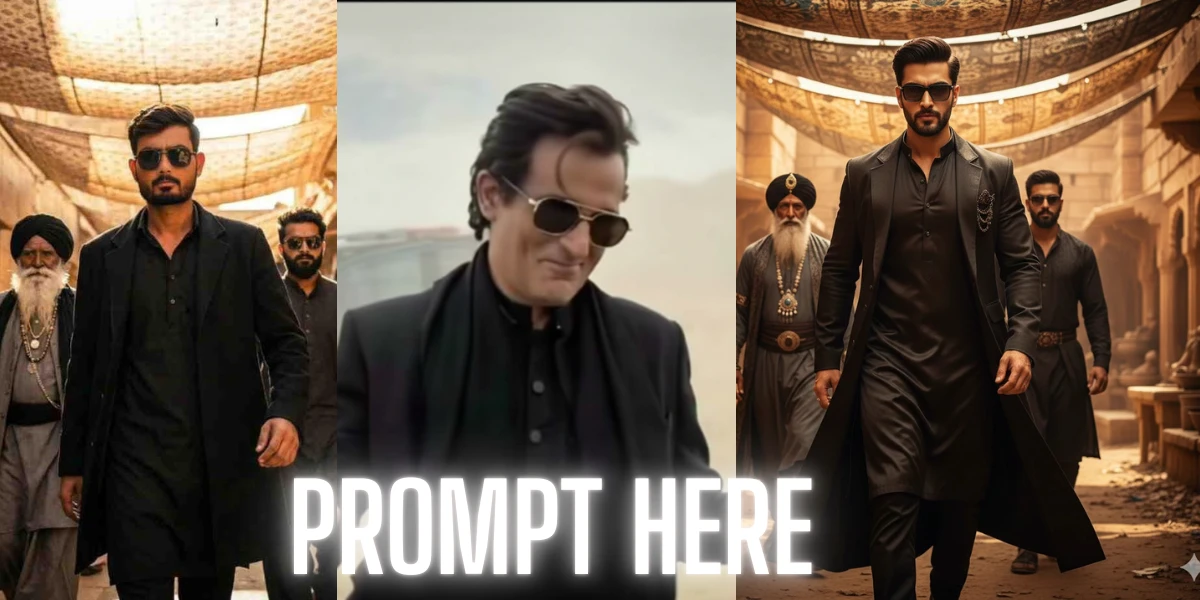
“Create a highly detailed, photorealistic transformation of [your face] in the exact style of Akshaye Khanna’s ‘Rehman Dakait’ look from the Dhurandhar movie. Reproduce the same slightly smug, hands-up shrugging expression. The subject must wear an identical black shalwar kameez, black blazer, and a black scarf draped around the neck. Use a dusty desert background with soft hills and a partially visible white SUV on the left side. Maintain the same cinematic mid-shot framing, desaturated color grading, dramatic shadows, film-grain texture, and intense villain-like aura.”
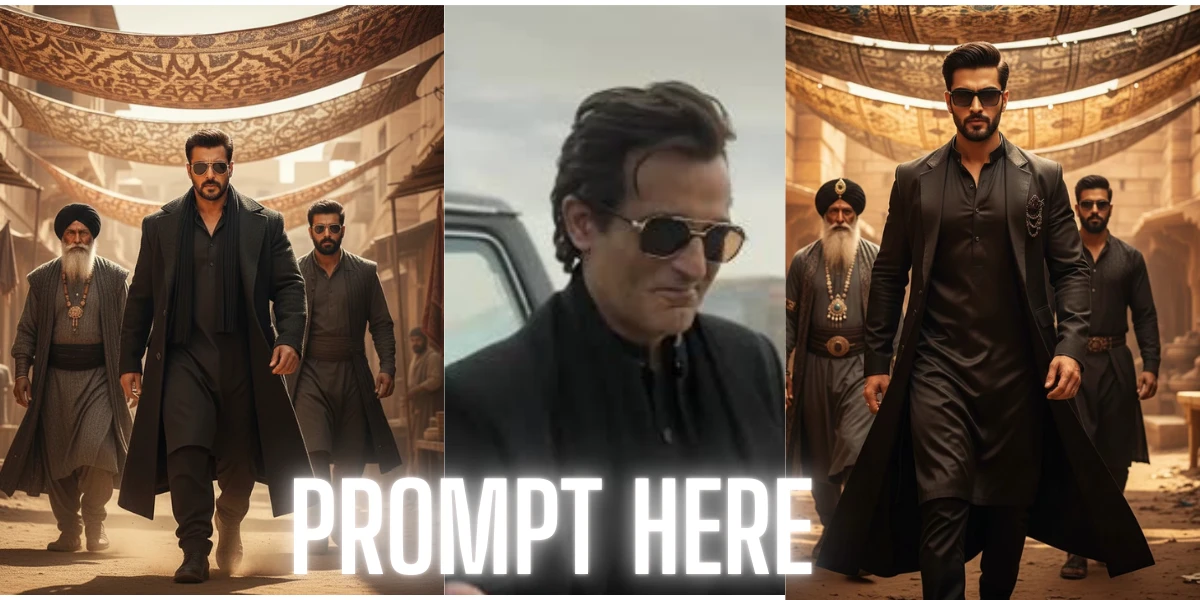
Bonus Cinematic Villain Scene Prompt
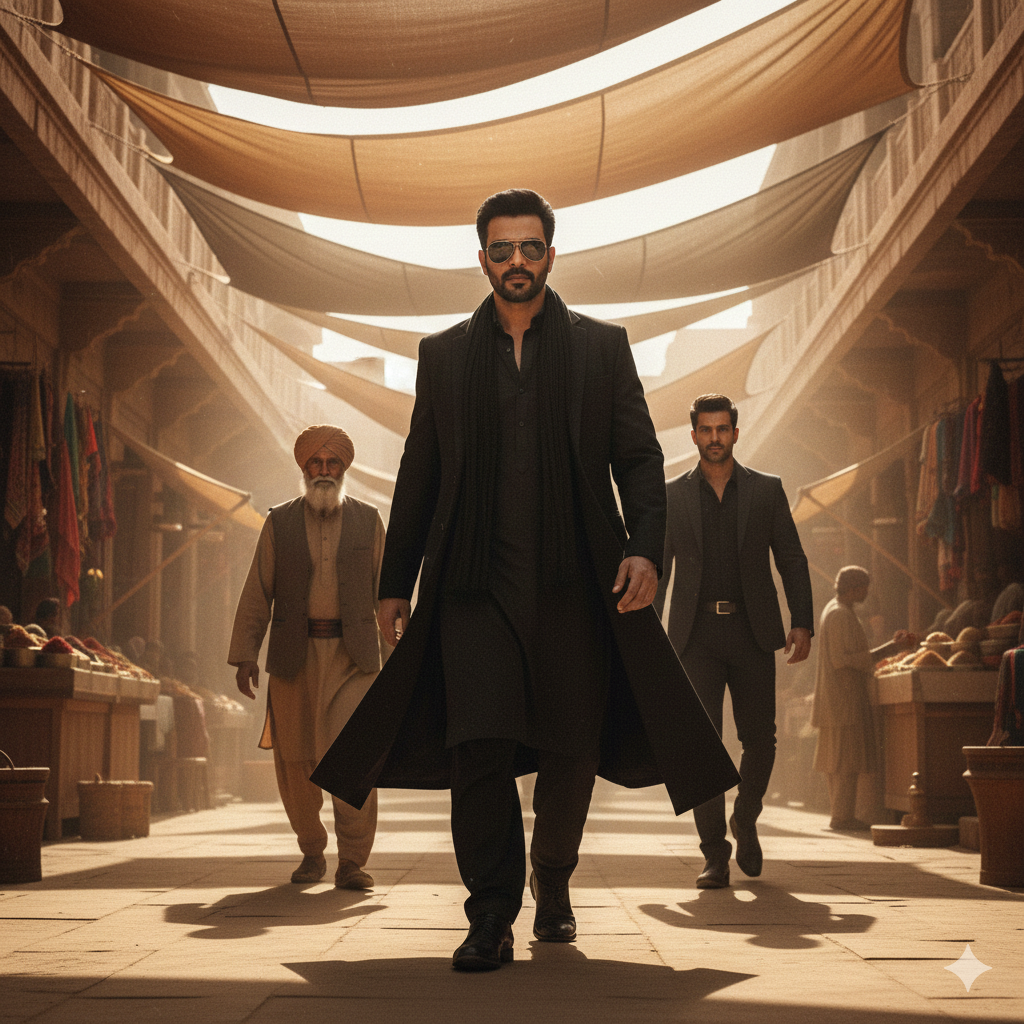
“Ultra-realistic full-body cinematic portrait of [your face] styled as a powerful villain making an entrance. Black kurta, black overcoat, dark sunglasses, golden sunlight filtering through cloth shades, two men walking behind (one elderly with white beard and turban, one younger in dark clothing). Ancient sandstone marketplace environment, warm tones, dramatic shadows, low-angle camera, slow-motion vibe, high detail.”
Use either prompt depending on the type of shot you want.
Also Read This Gemini AI Photo Prompt Copy Paste Trending – Latest Viral Prompts 2025 (20 New Prompts)
How to Create the Edit (Simple Steps)
- Open Gemini, Midjourney, DALL-E, or any advanced AI tool.
- Upload your clear photo.
- Copy the prompt from this article.
- Paste it into the prompt box.
- Add your name or description if needed.
- Generate the image.
Within a few seconds, you will get a stunning Dhurandhar-style transformation.
My Experience: Trial, Error, and the Final Solution
When I first started editing, nothing worked. The outfit looked wrong, the background was mismatched, and the expression never matched the original.
After dozens of attempts, I learned:
• AI follows details, not assumptions
• The prompt must describe everything
• Lighting and composition matter the most
Once I wrote the correct prompt (shared above), the result came out perfect in one try.
Conclusion
Recreating the Rehman Dakait look is not difficult—if you know the right technique.
With a detailed prompt, clear photo, and proper styling description, AI can produce a cinematic edit that looks almost identical to the Dhurandhar movie frame.